



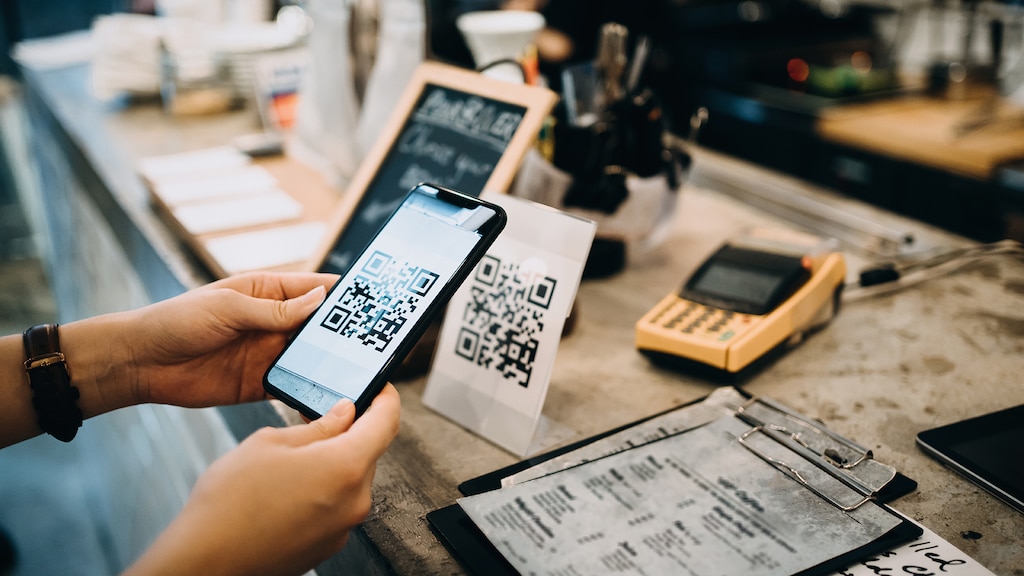


From commercials to billboards to product packaging, QR codes have become a go-to tool for marketers – and for good reason. QR codes, short for Quick Response codes, store information such as website URLs or contact details. They are easily scannable by smartphones, providing users with quick access to the embedded data, making them a popular tool for enhancing marketing strategies and customer engagement in both physical and digital spaces.
According to Statistica, approximately 89 million smartphone users in the U.S. scanned a QR code last year. That is a 26% increase over 2020. And the use of QR code scanners in the U.S. is expected to swell to over 100 million by 2025, offering businesses an easy and efficient way to attract and stay connected with customers.
If you're wondering if QR codes could help you attract new customers, here are five tips to get you thinking.
1. Offer consumer incentives through QR codes.
QR codes are a versatile and effective way to incentivize customers, boost engagement, and drive repeat business. By scanning a QR code, customers can access personalized promotions and special offers, like instant coupons, limited-time discounts, and seasonal deals. All of these options can allow you to get creative with how you interact.
If you own a coffee shop, for example, you can place a QR code on your cups and have the code redirect customers to a survey, where they can provide feedback on their experience and receive a discount on their next coffee purchase. Own a clothing retailer? Consider adding a QR code to the tags on your products that lead customers to your mobile app, where they can participate in contests for prizes, access exclusive content, or receive personalized recommendations based on their preferences.
Using QR codes for business can help companies gather data to help with customer behavior analysis. Because QR codes are mobile-driven, you can use codes to cater to the growing mobile user base and enable QR code advertising campaigns, which can drive customers to reward programs and immersive experiences. All of this can help enhance customer loyalty as you gather important feedback and insights.
2. Create effective QR code calls to action.
A QR code marketing strategy built with a compelling call to action (CTA) can be incredibly effective. Call to action QR code examples like "Scan now for exclusive discounts" or "Unlock premium content by scanning" can add a sense of urgency that can be compelling for new and existing customers looking for deals.
Even something as simple as “scan now to download the app” or “scan to sign the petition” can help increase engagement with your QR code. While these examples might be less enticing than a cool offer, the bottom line is that they give users a reason to scan. QR codes should never stand alone; always try to give users a reason to pull out their phones. And, of course, the more alluring the reason, the better.
By testing various CTAs, you can identify the most compelling prompts that best resonate with your audience and then adjust your QR code marketing strategy accordingly.
Even something as simple as “scan now to download the app” or “scan to sign the petition” helps increase engagement with your QR code.
3. Get a custom QR code for your business.
Once you’ve decided to use QR codes as part of your marketing strategy, you may be wondering how to get a QR code for your business.
Consider using a QR code generator to create personalized QR codes. There are several platforms out there that allow you to personalize QR codes or create custom QR codes that align with your campaign. Adobe and Canva offer a free QR code generator. Bitly is another popular platform that lets you make your own QR code.
While a lot of QR codes look similar to one another, there are opportunities to get creative. Your custom QR code can have a branded look as you add colors, patterns, and even logos. Once it’s created, you’ll download it for use in your print and digital campaigns.
A word to the wise: Try to be sure to test your QR code before publishing it. Try to make sure it scans and takes users to the right link.
4. Ensure a readable QR code.
Once you’ve created your QR code, try to be sure to think through placement and positioning when you’re incorporating it into your marketing mix. Whether you’re placing it on a product or working it into an ad, the QR code should be visible and readable. If a QR code is blurry or not sized appropriately, it won’t scan.
And remember: Your customers are going to use their smartphones to access the code and navigate through the rest of the experience, so try to make sure the QR code is easy to get to.
5. Place QR codes for maximum exposure.
QR code marketing can offer limitless possibilities for marketing and customer engagement. By utilizing an omnichannel marketing strategy, QR codes can be effectively placed in various physical and digital locations. This approach can provide customers with multiple touchpoints to interact with your brand, enhancing lead generation and conversion rates.
In physical locations, consider incorporating QR code advertising strategies on in-store signage, event handouts, and business cards to promote brand awareness and customer participation. For digital platforms, integrating social media QR codes in your website, email newsletters, or even app notifications can serve as a seamless bridge to ongoing content or targeted campaigns.
By offering a mix of QR code touchpoints, you can make it convenient for your customers to access your brand's offerings, significantly improving overall engagement and customer satisfaction. And don’t forget the power of QR code design and CTA copy. By utilizing creative design and adding a compelling call to action, you can further drive engagement.
QR codes are powerful tools that can significantly enhance your marketing strategy. By embracing these tips, your business can strengthen customer loyalty, gather critical feedback, and ultimately elevate overall engagement and the customer experience.
A version of this article was originally published on October 06, 2011.
Photo: Getty Images
